Find the right laptop for your tech career
From your first CS course to shipping production code — answer a few quick questions and get matched to a machine that handles your stack, your builds, and your future workload.
No sign-in required · No data collected · Just good advice
Find your laptop
Filter by field, budget, and workload
Every laptop listed here is hand-picked for real engineering workloads — compiling, containers, data, and ML — not just spec-sheet numbers.
Your Programme / Domain
Select your programme, then narrow by specialisation
Prices and availability can change. Use See on Amazonfor the retailer's latest details.

Lenovo · LOQ 2025, 83JG008MIN
₹1,99,250
Lenovo LOQ 2025 AMD Ryzen 7 250 NVIDIA RTX 5060 8GB
Premium tier
Price as of 28 Sept
Some links may earn LaptopFinder a commission. Recommendations are based on fit and value first.

Lenovo · 83JX001MIN
₹1,54,890
Lenovo Yoga Slim 7 AI Laptop PC 2025 Aura Edition, Intel Core Ultra 7 258V, 32GB RAM, 1TB SSD, OLED, Copilot AI Now, 47 Tops, 14-inch, Windows 11, Office 2024, Grey
Premium tier
Price as of 28 Sept
Some links may earn LaptopFinder a commission. Recommendations are based on fit and value first.

Lenovo · 83ER008GIN
₹75,600
Lenovo IdeaPad Slim 3
Balanced tier
Price as of 28 Sept
Some links may earn LaptopFinder a commission. Recommendations are based on fit and value first.

Lenovo · 83S0009TIN
₹1,19,390
Lenovo LOQ Essential Gaming Laptop
Premium tier
Price as of 28 Sept
Some links may earn LaptopFinder a commission. Recommendations are based on fit and value first.

HP · 14-ep1181TU
₹1,03,200
HP 14 AI PC Intel Core Ultra 7 - (24 GB/1 TB SSD/Windows 11 Home) 14-ep1181TU Thin and Light Laptop
Advanced tier
Price as of 28 Sept
Some links may earn LaptopFinder a commission. Recommendations are based on fit and value first.
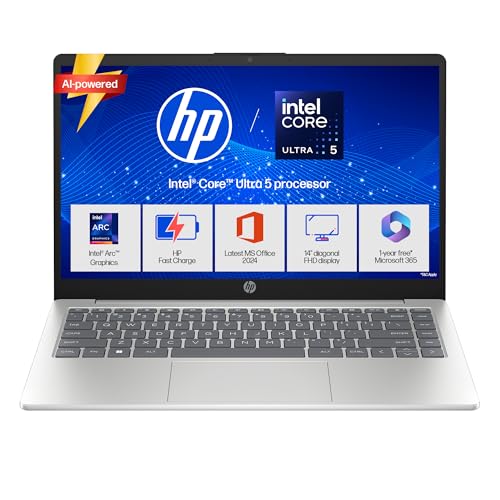
HP · 14 Smartchoice ep1180tu
₹94,990
HP 14 Smartchoice, Intel Core Ultra 5 125H 12 TOPS, 24GB DDR5, 1TB SSD, 14-inch FHD Laptop
Balanced tier
Price as of 28 Sept
Some links may earn LaptopFinder a commission. Recommendations are based on fit and value first.
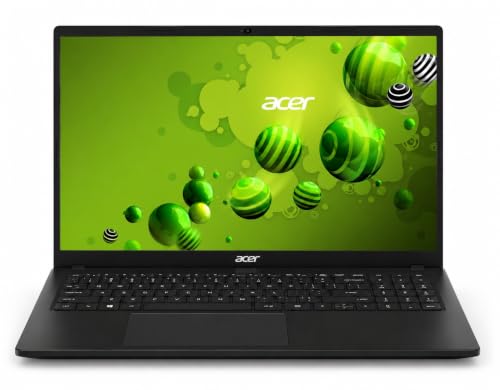
Acer · TL05-41M
₹89,999
Acer TravelLite TL05-41M Smart Laptop
Balanced tier
Price as of 28 Sept
Some links may earn LaptopFinder a commission. Recommendations are based on fit and value first.

HP · FD1458TU
₹82,990
HP 15 Smartchoice, Intel Core Ultra 5 125H 12 TOPS, 24GB DDR5, 1TB SSD, 15.6-inch FHD Laptop
Balanced tier
Price as of 28 Sept
Some links may earn LaptopFinder a commission. Recommendations are based on fit and value first.
The changing landscape
Tech education is computationally evolving
Tech students quickly move beyond a single editor and a browser. Containers, large datasets, local model training, virtual machines, and game engines all become part of coursework — and each pushes a different part of the machine. The right laptop should carry you from your first course through internships and real production work.
Web & Full-Stack Development
ModerateVS Code, Node, Docker, local databases, and a browser with dozens of tabs run side by side all day. This is RAM- and CPU-bound work; a dedicated GPU is rarely needed, but 16GB RAM and a fast SSD make a real difference.
Data Science & Analytics
SignificantPython, Jupyter, pandas, and SQL over progressively larger datasets reward memory and multi-core CPUs. Most work is fine on a strong CPU; a GPU only starts to matter once you move into deep learning.
Machine Learning & AI
CriticalTraining and fine-tuning with PyTorch or TensorFlow, CUDA acceleration, and running models locally are the most demanding workloads here. An NVIDIA GPU with 8GB+ VRAM and 32GB RAM saves hours of waiting.
Mobile App Development
SignificantAndroid Studio and iOS emulators are heavy on RAM and CPU, and emulator counts grow as projects do. Apple Silicon is excellent for iOS; for Android, prioritise 16GB+ RAM and a capable multi-core CPU.
Cybersecurity, DevOps & Cloud
Very HighRunning several VMs at once, local Kubernetes clusters, and security labs demands lots of RAM, virtualization support, and a strong multi-core CPU. 32GB RAM and a fast SSD are well worth it for sustained lab work.
Game Programming
Very HighUnreal Engine and Unity with frequent C++ or shader compilation lean on the GPU, CPU, and VRAM together. RTX-class graphics, a fast multi-core CPU, and 16GB+ RAM keep build and iteration times sane.
Web & Full-Stack Development
ModerateVS Code, Node, Docker, local databases, and a browser with dozens of tabs run side by side all day. This is RAM- and CPU-bound work; a dedicated GPU is rarely needed, but 16GB RAM and a fast SSD make a real difference.
Data Science & Analytics
SignificantPython, Jupyter, pandas, and SQL over progressively larger datasets reward memory and multi-core CPUs. Most work is fine on a strong CPU; a GPU only starts to matter once you move into deep learning.
Machine Learning & AI
CriticalTraining and fine-tuning with PyTorch or TensorFlow, CUDA acceleration, and running models locally are the most demanding workloads here. An NVIDIA GPU with 8GB+ VRAM and 32GB RAM saves hours of waiting.
Mobile App Development
SignificantAndroid Studio and iOS emulators are heavy on RAM and CPU, and emulator counts grow as projects do. Apple Silicon is excellent for iOS; for Android, prioritise 16GB+ RAM and a capable multi-core CPU.
Cybersecurity, DevOps & Cloud
Very HighRunning several VMs at once, local Kubernetes clusters, and security labs demands lots of RAM, virtualization support, and a strong multi-core CPU. 32GB RAM and a fast SSD are well worth it for sustained lab work.
Game Programming
Very HighUnreal Engine and Unity with frequent C++ or shader compilation lean on the GPU, CPU, and VRAM together. RTX-class graphics, a fast multi-core CPU, and 16GB+ RAM keep build and iteration times sane.
Web & Full-Stack Development
ModerateVS Code, Node, Docker, local databases, and a browser with dozens of tabs run side by side all day. This is RAM- and CPU-bound work; a dedicated GPU is rarely needed, but 16GB RAM and a fast SSD make a real difference.
Data Science & Analytics
SignificantPython, Jupyter, pandas, and SQL over progressively larger datasets reward memory and multi-core CPUs. Most work is fine on a strong CPU; a GPU only starts to matter once you move into deep learning.
Machine Learning & AI
CriticalTraining and fine-tuning with PyTorch or TensorFlow, CUDA acceleration, and running models locally are the most demanding workloads here. An NVIDIA GPU with 8GB+ VRAM and 32GB RAM saves hours of waiting.
Mobile App Development
SignificantAndroid Studio and iOS emulators are heavy on RAM and CPU, and emulator counts grow as projects do. Apple Silicon is excellent for iOS; for Android, prioritise 16GB+ RAM and a capable multi-core CPU.
Cybersecurity, DevOps & Cloud
Very HighRunning several VMs at once, local Kubernetes clusters, and security labs demands lots of RAM, virtualization support, and a strong multi-core CPU. 32GB RAM and a fast SSD are well worth it for sustained lab work.
Game Programming
Very HighUnreal Engine and Unity with frequent C++ or shader compilation lean on the GPU, CPU, and VRAM together. RTX-class graphics, a fast multi-core CPU, and 16GB+ RAM keep build and iteration times sane.
A note on planning: You don't always need the most expensive machine. Buy for a 3–4 year journey: 16GB RAM, a fast multi-core CPU, and a quick SSD matter more day-to-day than a top GPU. Step up to 32GB RAM if you'll run many containers or VMs, and add a strong NVIDIA GPU only if machine learning, CUDA, or game-engine work is on your path.
Mac, Windows, or Linux for coding?
Here's how to think about your operating system and specs.
A Unix-based shell is the comfortable default for web, backend, DevOps, and cloud work — the terminal, package managers, Docker, and most tutorials assume it. A MacBook (M-series) is an excellent, quiet, long-battery choice here, and Linux runs beautifully on the right hardware.
If your path is web development, backend and APIs, data work, or cloud, a Mac or Linux machine is friction-free. Apple Silicon is also outstanding for iOS and mobile development.
Windows has closed most of the gap thanks to WSL2, which runs a real Linux environment alongside Windows — perfectly fine for the vast majority of coursework, and often the most flexible single machine.
The one place Windows with an NVIDIA GPU clearly pulls ahead is machine learning and game-engine development: CUDA acceleration is effectively required for serious local model training, and Unreal or Unity build best on a strong GPU. If ML/AI or game dev is on your path, lean Windows + NVIDIA.
For most developers, RAM matters more than anything else — VMs, containers, multiple IDEs, and a browser full of tabs all live in memory. Aim for 16GB minimum, 32GB if you'll run many containers or VMs, paired with a fast multi-core CPU and a quick SSD.
A dedicated GPU is optional unless you're doing ML/CUDA or game development — don't pay for one you won't use. The money is better spent on RAM and a better screen.
Practical advice: Cloud and remote development — GitHub Codespaces, dev containers, and remote SSH — let a lighter, cheaper laptop punch well above its weight by offloading heavy compute. Buy for a 3–4 year journey: prioritise RAM, CPU, and SSD now, and add a strong NVIDIA GPU only when your field genuinely calls for it.
Why trust these recommendations?
Straight answers about our process and how we make our picks.
Still unsure? Ask your doubt
Join the laptop guidance group on WhatsApp. Get advice from students and advisors who have been through the same buying decisions.